Trade. QuantAI posts it everywhere.
Record your trading session and QuantAI edits it, posts it to all your social media, and pings your Discord — automatically, every day.
Your whole content pipeline, on autopilot
Stop spending your evenings exporting, uploading and copy-pasting. Trade, and let it publish.
Record every session
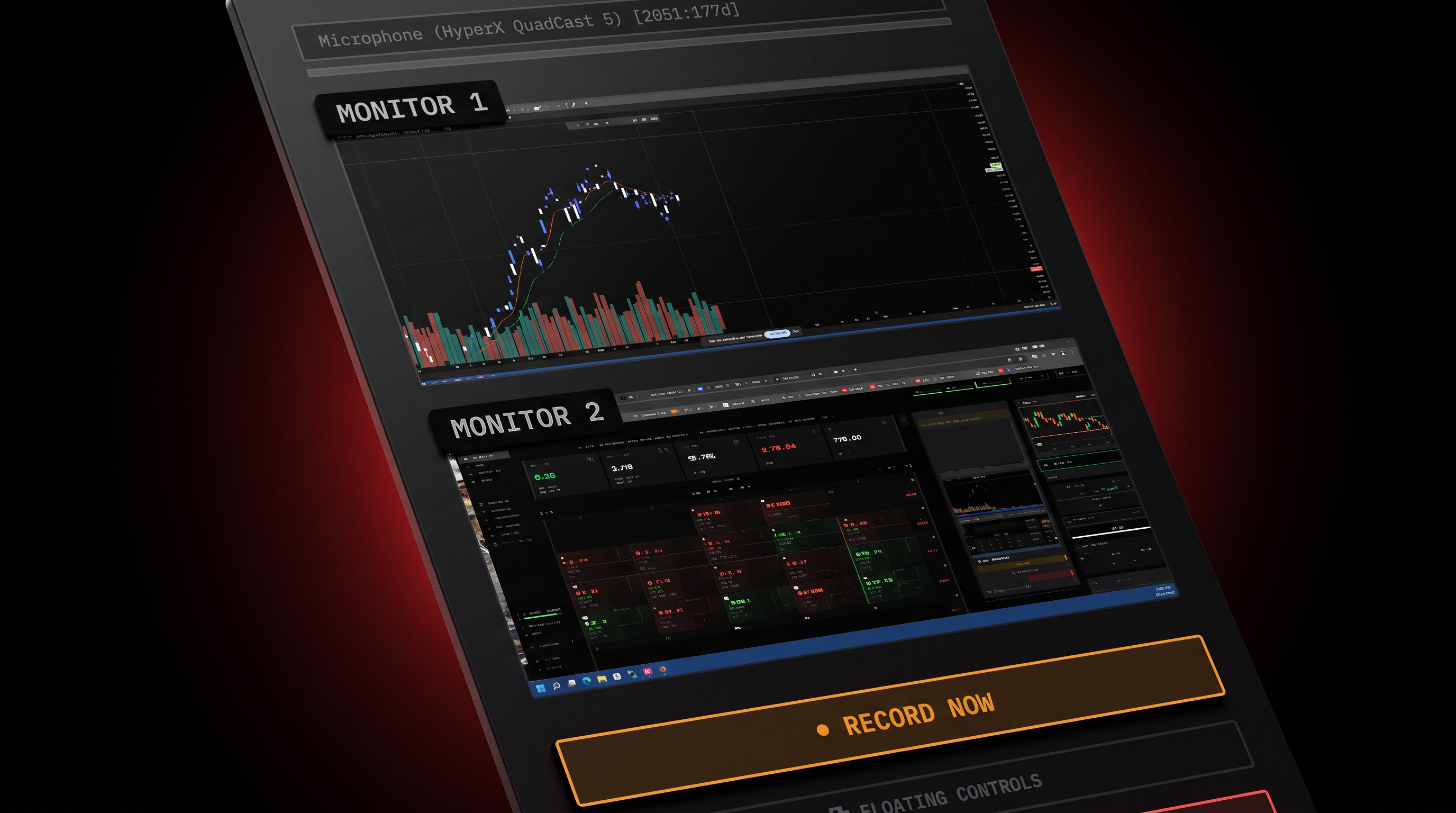
One click starts recording your trading screens and your webcam. QuantAI keeps every trade on its own timeline, so the footage is already organized when you finish.
Post everywhere, automatically
Your recap goes to YouTube as a full video, with 9:16 Shorts cut from your best moments and cross-posted to Instagram Reels and TikTok. Turn on Daily Auto-Post and it runs at your set time without you touching it.
Connect any Discord
Paste a Discord webhook and QuantAI posts your trade alerts and recap links straight into that channel. Add as many channels as you like, each with its own filters.
Record
Your screens and webcam, captured in one click
Record every monitor plus your webcam and mic. Take screenshots around each trade, and QuantAI lines the footage up with your real fills so every clip knows which trade it belongs to.
Post
One recording, every platform
QuantAI uploads the full recap to YouTube, cuts your best moments into Shorts, sends them to Instagram Reels and TikTok, and tweets the link. You just review, or don't.
Posted today
How it works
Connect your accounts
Link YouTube, Instagram, TikTok and X once, and paste a webhook for each Discord channel you want to feed.
Trade like normal
Hit record and trade. QuantAI syncs your closed trades from your broker and matches them to your footage.
QuantAI does the rest
It writes the titles, descriptions and thumbnails, cuts the Shorts, adds captions if you want them, posts everywhere, and tweets the recap with your P&L.
Works with any Discord server
Create a webhook in your server, paste it into QuantAI, and your community gets live trade alerts and your latest recap the moment it posts. Run one channel for everything or split them up: a free channel for recaps, a members-only one for every entry and exit.
QuantAI Bot
📊 Day summary
🟢 NVDA +$412.50
🟢 TSLA +$96.00
🔴 AMD -$58.20
Day P&L
+$450.30
Trades
3
Win rate
67%
QuantAI
Everything a trading creator needs
Long-form recap videos
A full 16:9 recap of every trade or the whole day, with your layout saved and reused.
Shorts, Reels & TikTok
Auto-picked highlight clips in 9:16, up to three per session, posted to all three platforms.
AI titles, descriptions & thumbnails
Copy and thumbnails drafted from the real trade, in your own thumbnail style. Add your own call-to-action to every description.
Auto Captions
Speech from your mic is transcribed and burned into your videos and Shorts.
Auto-Tweet the recap
When YouTube finishes processing, QuantAI tweets the link with the trade's P&L and screenshots, with sensitive details redacted.
Discord alerts
Trade opened and closed alerts, only-or-muted tickers, minimum P&L, role mentions, recap links and a daily summary.
Your layout, your brand
Arrange screens and webcam once. Every video uses the layout you saved.
Runs while you trade
Scheduled tweets run on the server, and Daily Auto-Post fires at your set time while the app is open.
Turn every trading day into content
Set it up once. QuantAI records, posts and alerts for you from then on.
Start Free Trial